

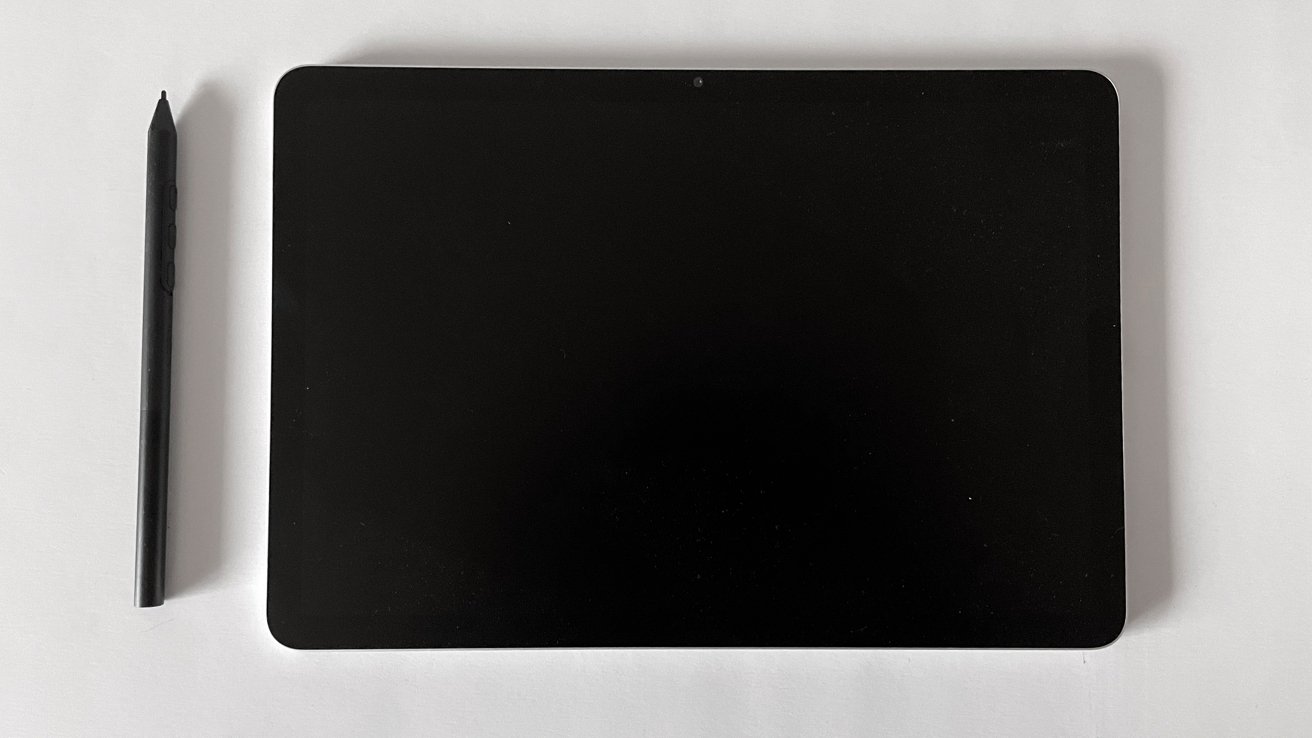
The design and display of the Wacom MovinkPad 11 are crafted with both aesthetics and practicality in mind, delivering an impressive experience for artists seeking a portable yet efficient tool. The MovinkPad 11 features a sleek and modern look, reminiscent of high-end tech products. Its compact form factor makes it an ideal companion for creators on the go, offering a balance of functionality and convenience.
The 11-inch display stands out as a centerpiece, offering high resolution that brings precision and clarity to every stroke. This screen doesn’t just display images; it brings art to life with vibrant colors and sharp details. You’ll appreciate that the use of IPS display technology ensures your artwork retains consistency across different viewing angles, a crucial factor for professionals who prioritize accuracy and color fidelity.
With a resolution of 2200 x 1440 pixels, the display provides ample real estate for intricate designs and detailed illustrations. The color gamut covering 99% of sRGB means that what you see is delightfully close to what you print or share, bolstering confidence in your work’s final output.
Moreover, the MovinkPad 11’s glass surface has anti-fingerprint and anti-glare coatings, striking a nice equilibrium between tactile feedback and visual comfort. It reduces the distracting glare and offers a paper-like texture, enhancing your drawing experience significantly.
Notably, the unit’s portability doesn’t come at the cost of durability. The device’s lightweight build makes it stress-free to carry in your bag, while still feeling sturdy and well-constructed, exuding quality through its design. However, it might leave you wishing for some protective accessory inclusions, like a cover or case, especially when considering its use on the move.
The MovinkPad 11 is a testament to how far digital drawing tablets have come, presenting artists with a beautiful canvas that is both portable and capable of high-quality visual performance. Its design and display serve as a reliable foundation for professionals seeking to capture creativity on the fly without sacrificing precision or image quality.
Performance and workflow considerations are critical elements for any artist looking to adopt a new tool, and the Wacom MovinkPad 11 does not disappoint in these aspects. Built for true efficiency and smooth operation, its capabilities are designed to enhance rather than hinder the creative process.
When it comes to performance, the MovinkPad 11 excels in delivering a responsive and fluid drawing experience. Equipped with the Mediatek Helio G99 processor and 8GB of RAM, the tablet handles multiple tasks and complex drawings with ease. Artists will appreciate the negligible latency, which ensures that every stroke is captured accurately and instantaneously, mirroring the natural flow of hand movements. The 2200 x 1440 pixel resolution complements this responsiveness, providing an immersive canvas where each detail is displayed vividly and with precision.
- The 11-inch display enhances detailed work and intuitive navigation, making it easier to handle intricate designs.
- Android 14 operating system offers stability and compatibility with various creative apps, allowing seamless integration into existing workflows.
- Wireless connectivity via Wi-Fi and Bluetooth offers flexible usage scenarios, enabling artists to transfer files quickly and collaborate effortlessly.
Moreover, the MovinkPad 11 acknowledges the need for personalized setups in artistic workflows. With customizable shortcuts and intuitive software, artists can tweak settings to match their specific requirements, improving overall productivity. Although the lack of a protective case is a minor drawback in terms of portability, the lightweight, durable design ensures the tablet can easily accompany artists on their creative journeys.
The tablet’s battery life is commendable, supporting prolonged creative sessions without frequent interruptions for recharging. This is particularly beneficial for professionals on tight deadlines or traveling, where consistent power supply might be unpredictable. Plus, the inclusion of USB-C charging ensures that recharging is quick and hassle-free, further cementing the MovinkPad 11 as a reliable companion for artists who value efficiency and durability.
The Wacom MovinkPad 11 stands out as a tool that prioritizes performance and workflow efficiency. While there are a few considerations in terms of accessory inclusions, the tablet’s ability to adapt to various artistic needs effectively bolsters its appeal among creative professionals seeking enhanced digital productivity.
Integrating the right accessories and software into your creative toolkit is essential for maximizing the potential of any digital drawing tablet, and the Wacom MovinkPad 11 provides an intriguing ecosystem for artists who want to ensure they are working as effectively as possible. With the MovinkPad 11, Wacom offers a suite of features that work cohesively to complement your artistic journey.
Starting with the hardware, the Wacom Pro Pen 3 is a central player in the MovinkPad 11’s setup. With 8192 levels of pressure sensitivity, electromagnetic resonance technology, and support for 60-degree tilt recognition, the pen closely mimics the experience of traditional drawing tools, allowing for nuanced control over brush strokes and angles. The lightweight yet durable construction of the pen emulates the feel of a pencil, making it an ergonomic choice for long creative sessions.
On the software side of things, the MovinkPad 11 boasts robust compatibility with popular creative applications such as Adobe Photoshop, Adobe Illustrator, and Corel Painter. This ensures that artists can seamlessly introduce the Wacom device into their existing workflows without needing to switch or learn new applications, allowing the focus to remain on the creative process itself.
The inclusion of a two-year license for Clip Studio Paint Debut is particularly noteworthy, granting users access to a comprehensive set of illustration tools ideal for everything from comics and manga to fine art work. Additionally, free trials for other creative software like ibisPaint X, ArtWod, and Magma encourage exploration and experimentation, broadening the creative possibilities available to artists.
While the MovinkPad 11 provides a comprehensive set of tools and software options, it’s also important to consider the gaps left by the additional accessories currently available. For instance, although the tablet is entirely functional out-of-the-box, artists seeking heightened mobility and protection may need to look into purchasing a stand or a protective case separately. These optional extras could make a significant difference in comfort and convenience, especially for those who frequently travel with their device.
The Wacom MovinkPad 11 is equipped to handle a variety of artistic demands, thanks to its thoughtful integration of hardware and software. While it’s not without its areas for improvement in terms of accessories, the core offerings—anchored by the exceptional pen technology and compatible software—make it a standout choice for artists committed to refining their workflow and enhancing their creative output.
Artists who engage with the Wacom MovinkPad 11 tend to find it a harmonious blend of capability and convenience. The device invites both seasoned professionals and burgeoning digital creatives with open arms, providing a robust platform for artistic expression. The feedback from users primarily highlights the joy of sketching on such a responsive surface, enhanced by the Pro Pen 3’s precision, making the act of creating digital art feel much closer to traditional media. This seamless transition is often a crucial factor for artists who are venturing into digital art for the first time.
One of the major strengths of the MovinkPad 11 lies in its ability to strike a balance between professional-grade performance and accessibility. The feedback loop of its technology ensures that each stroke is rendered effectively, making it ideal for intricate designs or spontaneous art sessions. Many artists appreciate how the tablet handles various pressure levels and angles, offering a range of creative possibilities without lag or disruption. It’s the kind of predictability in hardware responsiveness that fosters both confidence and freedom during creative processes.
In terms of value, the MovinkPad 11 scores well among users who regard it as a sound investment for anyone serious about digital artistry. The convenience it offers, with compatibility for an array of creative software, is on par with industry standards, while the bundled software licenses add tangible value. For artists who frequently rely on tools like Clip Studio Paint, this inclusion alone justifies the initial outlay by significantly reducing software costs over time.
However, some considerations remain, particularly regarding the lack of included accessories such as a protective case or adjustable stand. These omissions, while not deal-breakers, can influence purchasing decisions for those who prioritize complete protection and ergonomics in their work setup. Consequently, artists may find themselves weighing the cost of additional third-party accessories when evaluating the tablet’s overall value.
The MovinkPad 11 offers a compelling value proposition with its blend of high-quality performance, versatility, and affordability. Despite a few noted areas for improvement, the device has carved out a niche among artists who prioritize a seamless, integrated creative experience that aligns with their professional needs and personal artistic style. It stands as a testament to Wacom’s commitment to evolving with the demands of modern digital artistry. For related coverage, see our Ikea enters the smart home market with affordability and style.
