

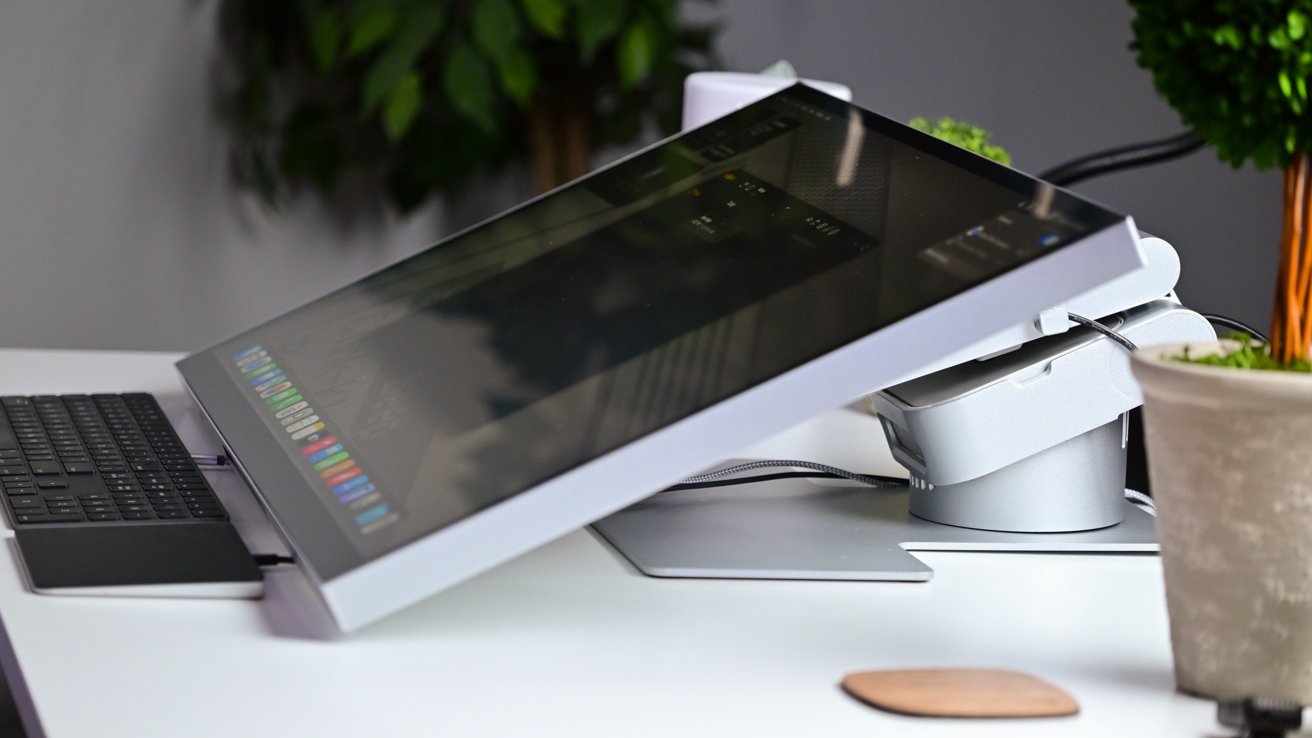
Aspekt Touch tilted back
The promise of intuitive interaction with touchscreens on a Mac is a tantalizing one. Imagine: a world where your fingers could dance across the screen, tapping, swiping, and pinching, just as effortlessly as breathing. For many, this concept elicits excitement, a potential game-changer for how we connect with our technology. But let’s pause for a moment and consider the daily reality of working with such a device.
Picture yourself at your desk, encountering a stunning image on your Mac. Rather than reaching for your trusty trackpad or mouse, you reach out to your display. The thrill as your fingertips sync perfectly with your movements on screen can’t be overstated. This is more than just interaction; it’s a conversation with your device. You’re not just using the Mac—you’re dancing with it.
This intuitive nature extends beyond the novelty of finger touches. The possibilities for direct engagement with the content on a Mac are immense. Want to zoom in on a delicate detail in a photo? Simply stretch your thumb and forefinger apart. Need to scroll through a lengthy document? A gentle swipe will do. These actions mimic our real-world interactions, making them second nature.
For those new to the idea of a touchscreen Mac, you might be feeling a mix of intrigue and skepticism. It’s perfectly valid to wonder if these gestures would disrupt your workflow. After all, we’ve spent years perfecting our navigation with keyboards and trackpads. Yet, the fusion of touch offers a holistic approach to digital interaction, opening up possibilities that go beyond mere function to something almost playful and immersive.
However, it’s not just about simplicity; it’s also about precision. Touchscreens can deliver a more tactile experience, offering feedback that trackpads cannot match. This can enhance not only how we browse but also how we create, edit, and connect with our work.
For those who have ever accidentally tapped their Mac screens expecting a reaction as they would on an iPad, this potential functionality is welcome reassurance. The intuitive interaction heralds a new era where every swipe, tap, and pinch feels like a deliberate and meaningful exchange with technology. You’re not just adapting to your Mac; your Mac is adapting to you.
- Swipe gestures make document navigation a breeze.
- Pinch to zoom brings intricate details into focus.
- Tap and drag for seamless menu access and selection.
By embracing touchscreen innovations, users can personalize their interaction style, making every engagement feel purposeful and natural. While change can be daunting, the potential rewards of a touch-integrated Mac could transform how we view our relationship with technology. It’s a future where interaction is not only more intuitive but also more human.
Unlocking the creative possibilities offered by a touchscreen Mac transforms the way artists, designers, and creators engage with their work. Imagine you’re seated in front of your Mac, a mere brushstroke away from turning your canvas into a masterpiece. The glow of the screen invites your fingertips to explore and experiment freely. As a digital artist, suddenly the limitations of traditional tools dissolve, clearing the path for innovation and inspiration.
With a touchscreen Mac, drawing and painting become more than just actions—they transform into experiences. A stylus feels like a natural extension of your hand, flowing seamlessly across the display. Each stroke is precise, with a fidelity that mirrors real-world textures, and every color blend is as natural as mixing paint on a palette. For illustrators and graphic designers, this tactile engagement can unlock new dimensions of creativity, enabling spontaneous sketching and editing that blend seamlessly with their creative processes.
Video editors, too, find fresh avenues to enhance their art. Imagine the precision of scrolling through timelines with your fingertips, or the ease of adjusting color grades with a simple touch. This intimate connection allows for a more instinctive workflow, where ideas can be enacted instantly, bridging the gap between thought and execution.
- Real-time illustration directly on the screen with pressure sensitivity in Adobe Illustrator.
- Multi-touch gestures for manipulating 3D models in creative software.
- Pinch and zoom for precise editing in photo manipulation applications.
Moreover, musicians and producers can revel in the expanded potential of a touchscreen Mac for audio editing. Tactile interfaces are particularly beneficial for them, allowing for direct interaction with tracks, timelines, and effects panels. Composers can tap out rhythms and experiment with music, feeling each beat resonate through their touch.
This capability extends beyond professional tools. Even casual creators—enthusiasts of photography, amateur filmmakers, or those keen on jotting down digital notes—will find a touchscreen incredibly beneficial. Suddenly, an image becomes a landscape to explore with swipes and taps, and editing becomes a tactile pleasure rather than a chore. Couple this with compatibility that’s synonymous across Apple devices, and the creative potential truly is boundless.
For anyone who might be apprehensive about integrating such radical change into their creative toolkit, know that embracing a touch-enabled Mac isn’t about abandoning familiar methods, but rather augmenting them. It allows for a synthesis of past techniques and new technology, an exciting fusion that amplifies artistry.
This journey into creativity redefines what it means to create, edit, and express oneself. The touchscreen Mac heralds a future where our creative endeavors are not just imagined but enacted with an immediacy and fluidity that echoes the very essence of art itself. The canvas is truly at your fingertips, poised to captivate, inspire, and push the boundaries of possibility.
Apple’s ecosystem has long thrived on seamless integration between its devices, creating a cohesive experience that users have come to expect and rely upon. Introducing a touchscreen Mac would be yet another step closer to eliminating the barriers between macOS and iOS, seamlessly blending familiarity with functionality.
Imagine the ease of transitioning from a project on your iPad to your Mac, continuity practically woven into the fabric of your workflow. With a touchscreen, that smooth handoff goes beyond continuity features—it’s a unified language of touch that translates across devices. Typing an email, sketching an idea, or managing files could follow the same logic, whether using an iPhone, iPad, or a prospective touchscreen Mac.
Apple’s ecosystem is also about enhancing the user experience. Features like Handoff, AirDrop, and Universal Clipboard already allow users to switch devices mid-task. A touchscreen Mac would allow the same gestures you use on your iPad—like swipe, tap, and drag—to be just as intuitive on a larger Mac display. You could start editing a video on your iPhone, seamlessly continue on your iPad, and fine-tune the details on your Mac, without skipping a beat.
- Gesture controls familiar to iOS users become second nature on a Mac.
- Shared digital canvas from iPad to Mac for artists and designers.
- Instant file sharing without breaking the flow of work across devices.
A touchscreen Mac could also plug into evolving Apple features, providing a cohesive experience across various tasks. With enhancements like Sidecar, you might see increased dialogue between macOS and iOS, where your iPad acts as an extended touch-enabled workspace for your Mac. Likewise, apps that adopt Apple’s design guidelines to optimize for touch and pointer can sustain the efficiency of using multiple devices in synergy.
Furthermore, Apple’s comprehensive ecosystem leverages iCloud to keep everything interconnected. When you blend this with a touch-enabled Mac, you experience a platform that responds to your needs flawlessly and immediately—from a document updated in real time on all devices, to initiating a FaceTime call with a swipe, no matter which device you’re currently on.
As exciting as these prospects are, they’re also grounded in Apple’s forward-thinking ability to enhance user experience without compromising on quality. It might seem daunting adjusting to a new interaction method, but Apple’s track record with ecosystem integration gives users confidence that such a transition could be both seamless and rewarding.
The thought of navigating this seamless ecosystem with touch—each device feeding into the next, sharing a user-focused DNA—paints a promising picture of the future. Users could find themselves in a landscape where hardware and software dance in harmony, a testament to Apple’s vision of a truly unified technological experience.
Venturing into the realm of a touchscreen Mac brings with it a host of potential benefits designed to reshape how users interact with their devices. One of the most significant advantages lies in its versatility. Whether you’re a student jotting down notes, a designer crafting intricate visuals, or a business professional managing multiple tasks, a touchscreen Mac could effortlessly adapt to your needs. The fluid transition between touch, keyboard, and trackpad inputs can foster a more dynamic workflow, enhancing productivity regardless of the task at hand.
The fluidity offered by direct touch interaction can revolutionize the way you manage your daily tasks. Envision navigating through your day armed with the intuitive power of a touchscreen. Annotating documents becomes an interactive experience, enabling swift gestural communication without the constraints of a keyboard. It’s an immediate connection to your work, bridging the gap between thought and action.
Aspekt Touch tilted back
- Intuitive gestures for quick document edits and annotations.
- Versatile input methods accommodate diverse tasks with ease.
- Enhanced multitasking capabilities with flexible screen interaction.
Moreover, accessibility stands as a cornerstone of a touchscreen Mac’s appeal. Touch interfaces inherently provide a more inclusive experience for users who may struggle with traditional input devices. Touch gestures, voice commands, and other adaptive tools converge, creating an environment where technology becomes more approachable and less daunting. Every individual, regardless of physical ability, can engage with their Mac in a way that’s comfortable and empowering.
Adding a touchscreen to a Mac also aligns with future technological trends, ensuring that Apple stays ahead in a continually evolving market. As devices grow more interconnected and user preferences shift towards touch interfaces, integrating this functionality ensures that the Mac evolves alongside these changes. The inclusion of a touchscreen positions Apple to meet future demands, aligning its products with a broader vision of computing’s next frontier.
It’s understandable to feel hesitant in the face of such change, especially for long-time Mac users. Yet, the potential benefits of embracing a touchscreen extend far beyond the novelty of finger taps. They promise a leap towards a more responsive and personal relationship with technology, where every interaction feels not only natural but also empowering.
The proposition of incorporating touchscreen functionality into a Mac does not come without its challenges. One of the most significant hurdles is redesigning the macOS interface to accommodate touch inputs without sacrificing the integrity and functionality long-time users appreciate. macOS has been historically optimized for the precision of a mouse and keyboard; evolving it to support touch in a way that feels productive and intuitive is no small feat. This requires an interface that can shift seamlessly between touch, cursor, and keyboard inputs, maintaining consistency and elegance in design.
Developers will need to rethink elements such as icons, menus, and gesture interactions to ensure they are accessible and intuitive when using a fingertip instead of a cursor. This means that implementing touch capabilities isn’t merely about slapping a touch screen onto a Mac. It involves a ground-up rebalancing of the user interface, tuning gesture responsiveness, and ensuring that touch inputs feel just as fluid and intentional as traditional inputs.
- Rethinking macOS design to accommodate larger touch targets.
- Adapting multi-touch gestures that complement keyboard and mouse inputs.
- Ensuring consistent user interface across different interaction methods.
Ergonomics presents another challenge. Constant touch interaction can lead to discomfort, often referred to as “gorilla arm,” a phenomenon where prolonged use of a vertically oriented touchscreen results in arm fatigue. To address this, Apple might develop hybrid devices with adjustable screens or incorporate features such as gesture control without touch, to minimize strain and maximize comfort during prolonged use. Combining these innovations ensures that users can interact with their devices in ways that align with their natural postures and personal preferences.
Furthermore, the market’s demand must justify the investment in developing a touchscreen Mac. While there’s significant excitement about this potential shift, it’s critical for Apple to assess whether this interest translates to sustained consumer demand. Releasing a touchscreen Mac too early—or without significant differentiators from existing devices—could lead to market fragmentation or consumer confusion about where this device fits within their ecosystem.
While these challenges are formidable, they are not insurmountable. Apple’s history of tackling complex design problems with innovation and elegance suggests that should they choose to tread this path, they will do so thoughtfully. The careful refinement of its ecosystem already demonstrates Apple’s commitment to integrating new experiences without losing sight of foundational user needs.
Looking ahead, embracing touchscreen technology could position Apple’s Mac line to not only evolve with the current technological trends but anticipate them. By blending innovation with the precision and performance users expect, a touchscreen Mac could herald a new chapter in computing, where technology seamlessly pivots and grows according to user needs, offering an experience that is as adaptable and forward-thinking as it is familiar. For related coverage, see our Apple’s vision for the future of Formula 1 storytelling. For related coverage, see our Apple redefines compact computing with the Mac mini M4 Pro.
